How to Write an Ebook With AI, Step by Step
Start from material you already own, approve a plan before anything is written, and edit every chapter like an editor. Here is the whole workflow, and the rights and disclosure rules that come with it.
By Shri and Sarath · 9 min read · Updated 11 October 2026 · Facts checked 11 October 2026
Most advice on writing an ebook with AI starts with a blank prompt: "Write me a 10-chapter book about productivity." That produces a book like every other book about productivity, because the model has nothing of yours to work from.
The workflow below starts from the other end. You give the AI material you already have, you approve the plan before anything is written, and you stay the editor of every chapter. The result sounds like you, holds up to a reader who knows the subject, and is yours to publish.
Step 0: Decide what the book is for
The purpose decides length, tone, format and price. These are rough guides, not rules.
Lead magnet (email opt-in)
- Typical length
- 3,000 to 8,000 words
- Format
- Where it lives
- A landing page, a welcome email
How-to guide you sell
- Typical length
- 10,000 to 20,000 words
- Format
- PDF and EPUB
- Where it lives
- Gumroad, your site, KDP
Course companion or workbook
- Typical length
- 8,000 to 15,000 words, plus exercises
- Format
- Where it lives
- A course platform, a bonus bundle
Non-fiction title for KDP
- Typical length
- 20,000 to 40,000 words
- Format
- EPUB, and print if you want it
- Where it lives
- Amazon
If you're unsure, start with a lead magnet: it's the shortest, the fastest to test, and it tells you whether people want the longer book.
Step 1: Gather source material
An AI writes well when it has something specific to write from. Before you open any tool, collect:
- Transcripts. Webinars, workshops, podcast episodes, client calls (with permission). A 45-minute talk is roughly 6,000 to 7,000 spoken words.
- Course content. Module scripts, slides with speaker notes, lesson outlines.
- Written archives. Newsletter issues, blog posts, long posts, internal docs, the FAQ you send clients.
- Frameworks. The named process you teach, the checklist you always run, the mistakes you always correct.
Put it all in one place and don't tidy it yet: coverage matters more than polish. SuperEbook reads TXT, Markdown, PDF, DOCX, SRT, VTT files, so audio and video need to be transcribed to text first. If your material is thin on a topic, the book will be thin there too, so note the gaps now.
Step 2: Plan before you write
Fixing a plan costs minutes; fixing a finished book costs hours. So settle three things first.
- The title. Name the outcome in the title and the method or audience in the subtitle. The 90-Day Client Pipeline: A Referral System for Solo Consultants beats Growing Your Business.
- The brief. One paragraph: who the reader is, what they know already, what they'll be able to do afterwards, and the tone. Every chapter gets checked against it.
- The outline. For non-fiction, six to ten chapters is normal. Each should map to a chunk of your material; if a chapter has nothing behind it, cut it or mark it as needing new material.
Tools differ here. Some generate the whole book from one prompt. Others plan first: SuperEbook gives you three title options, a brief and a chapter outline for free, with nothing written and no credits spent until you press Write. Whatever you use, don't let it write chapters until you've approved the outline.
Step 3: Write it chapter by chapter
Long single-shot generations drift: the second half repeats the first, and the tone wanders. Writing chapter by chapter against the brief and the outline avoids that.
SuperEbook writes each chapter from the passages of your material that fit it, to the plan you approved, and shows the text as it arrives. A lead magnet costs 25 credits, so the 50 free credits every new account starts with cover ≈ 2 lead magnets or 1 how-to guide.
Whatever tool you use, check the chapters against your sources. Pick five paragraphs at random and find where in your material each idea came from. Anything you can't find is the model's addition: verify it or cut it.
Step 4: Edit like an editor
You're checking, not rewriting. Four passes:
- Accuracy. Every number, name, claim and example: is it from your material? If it's new, verify it or delete it.
- Voice. Read the first paragraph of each chapter aloud. Replace any opener that sounds like a template. Add one sentence of your own to each chapter: a story, an opinion, an anonymised client detail.
- Repetition. Drafts repeat their thesis. Cut the restatement at the end of each section.
- Action. Each chapter should end with something the reader does. If it doesn't, add a three-item checklist.
In SuperEbook, typing your own edits is free, a rewrite of a selected passage is 1 credit, and regenerating a whole chapter costs 13 credits on a lead magnet. If a chapter is wrong in structure, regenerate it; if it's wrong in wording, rewrite the passage.
Step 5: Cover and export
A lead magnet needs a clean cover that reads at thumbnail size: the title, the subtitle and your name or brand. Skip stock-photo collages. For Amazon, the cover also has to work small in the search results, so large type and strong contrast matter more than detail.
Email opt-in
- File
- Notes
- Keep it small enough to download quickly
Gumroad or your own site
- File
- PDF and EPUB
- Notes
- EPUB suits phones and e-readers
Amazon KDP ebook
- File
- EPUB
- Notes
- Preview it in Kindle Previewer before you upload
Further editing
- File
- DOCX
- Notes
- Or hand it to a human editor
SuperEbook exports a PDF, an EPUB and a DOCX of every book, with the cover you choose, full commercial rights and no watermark. For a paperback of a text book, take the DOCX to a formatting tool.
File size matters on KDP: on the 70% royalty option Amazon's US store takes a delivery fee per megabyte, so a large image-heavy ebook earns less per sale. The Kindle royalty calculator does the sum, and KDP's own help pages have the current rate.
Rights, disclosure and ownership
Three separate questions get muddled here.
Can you sell it? If the tool's terms give you commercial rights to what it makes, yes. Read them: some free tiers don't. SuperEbook's files come with full commercial rights and no watermark.
Who owns the copyright? In its January 2025 report on copyrightability, the US Copyright Office concluded that AI output can be protected only where a human author has contributed enough expressive content, and that typing prompts is not enough. It also said that human-authored material visible in the output, and human arrangement or modification of it, can qualify, and that each case is judged on its facts. A book written from your own material, planned and edited by you, has far more human authorship than a one-prompt generation, which is one more reason to work this way. This isn't legal advice; get some if the stakes are high.
Do you have to disclose it? On Amazon KDP, yes for AI-generated content. KDP asks you to say when a book contains AI-generated text, images or translations, and treats the content as AI-generated even if you edited it heavily. It doesn't ask you to disclose AI-assisted work, meaning AI used to help you edit or brainstorm your own writing. A book whose chapters were written by AI is AI-generated, so disclose it. Check KDP's current content guidelines before you publish, since policies change.
Other marketplaces, Etsy among them, have their own rules about AI-made items. Read the current policy of wherever you sell. On your own site no platform rule applies, but a one-line note on the copyright page costs nothing and readers appreciate it.
What a first draft looks like
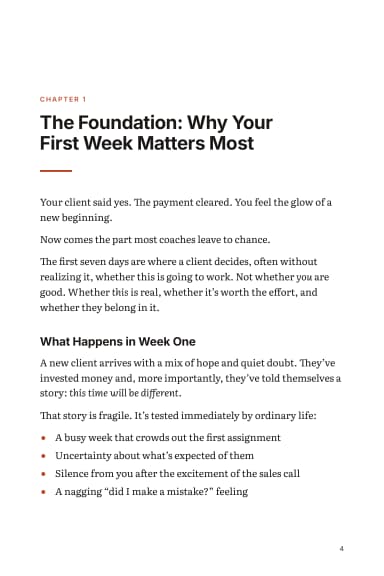
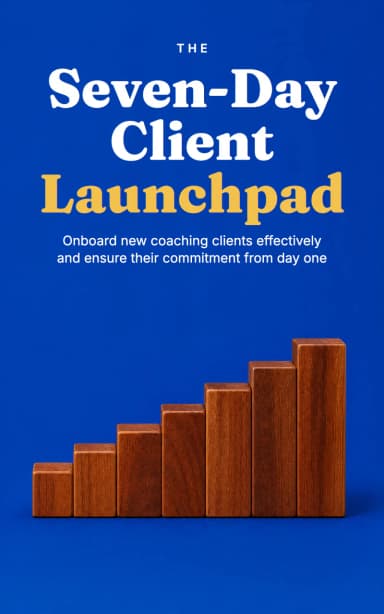
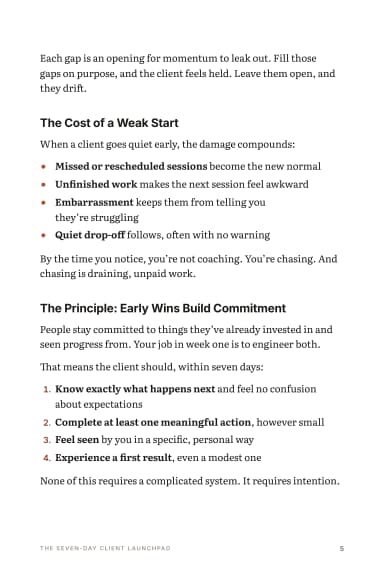
Two real books SuperEbook wrote, with no editing, so you can judge the starting point for yourself. The first was written from a one-line idea; the second from a public-domain book, split into passages.
For: Grow my email list
Lead Magnet · 27 pages
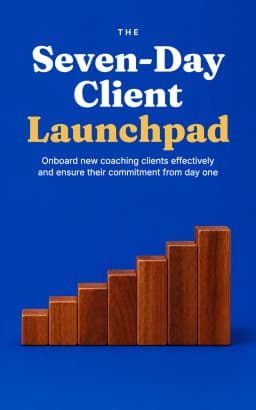
The Seven-Day Client Launchpad
From a one-line idea: A first-week plan for new coaching clients: what to send, ask and set up in the first seven days so they show up, do the work and stay
Written by Claude Sonnet 5.5 in 2.3 minutes, unedited · 3,751 words · 25 credits to write
For: Sell what I teach
How-To Guide · 81 pages
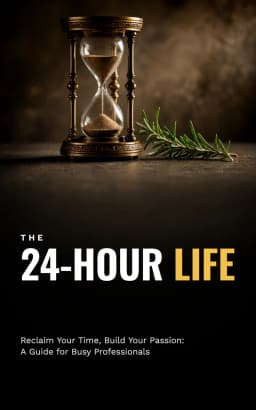
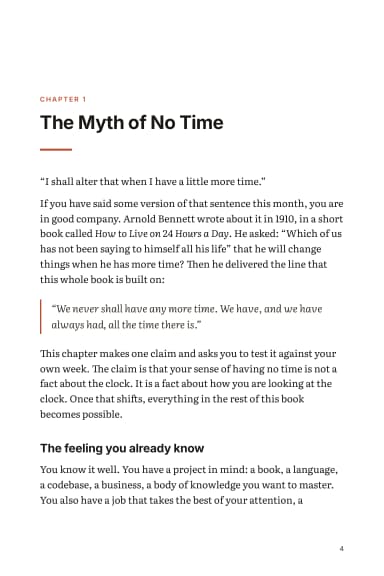
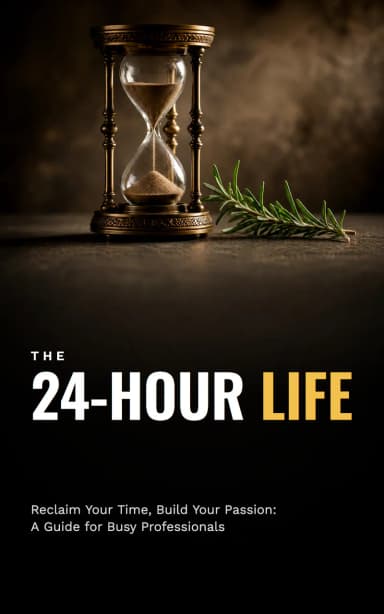
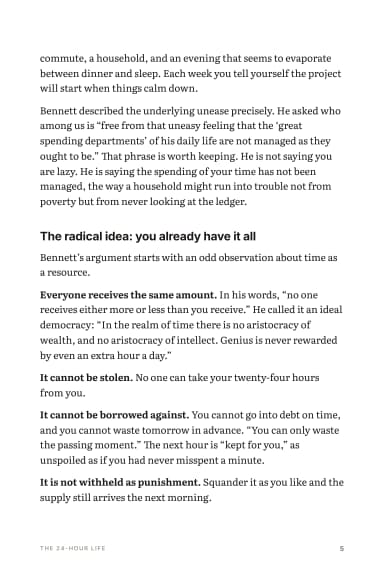
The 24-Hour Life
From Arnold Bennett’s How to Live on 24 Hours a Day (1910), in the public domain, split into 30 passages.
Written by Claude Sonnet 5.5 in 3.3 minutes, unedited · 17,067 words · 35 credits to write
Neither was edited. They show what a first draft is like, and why the editing passes above matter: a draft is a good start, not a finished book.
Common mistakes
- Prompt-only books. With no source material, the output is generic.
- Writing the whole book in one generation. It drifts and repeats, and the second half is weaker.
- Skipping the outline review. You end up editing a structure you never wanted.
- Padding to a word count. A tight 5,000-word guide tends to serve readers better than a padded 15,000-word one.
- Ignoring file size on KDP for image-heavy files.
- Not fact-checking. Like any first draft, an AI draft can be confidently wrong.
Troubleshooting
- It sounds like everyone else. The source was too thin. Add material and regenerate the weak chapters only.
- Chapters contradict each other. Tighten the brief to one audience and one outcome, then regenerate chapter by chapter.
- It's too long. Cut whole sections, not sentences. A lead magnet over 8,000 words is probably a how-to guide that should be sold.
- It's too short. Don't pad. Add another source, such as a second talk or a Q&A, and a chapter built from it.
- The cover looks generic. Fewer words, bigger type, one colour. Check it small.
Do this now
- Write one sentence: who the reader is, and what they can do after reading.
- Collect at least 5,000 words of your own material; transcripts count.
- Pick a title that names the outcome.
- Approve a six-to-ten-chapter outline where every chapter has material behind it.
- Write chapter by chapter, and spot-check five paragraphs against your sources.
- Do the four editing passes: accuracy, voice, repetition, action.
- Export the right files, and check the file size for KDP.
- Disclose AI-generated content where the platform asks for it.
Write it from your own material.
Plan a book free and see the outline before you spend a credit.
Try SuperEbook free